Hey there, fellow gaming enthusiasts and tech-savvy peeps! I'm Nova, and I run a company that supplies Usb Pogo Pin Cables. Today, I wanna chat about a burning question: Can a Usb Pogo Pin Cable be used in a gaming console? Let's dive right in.
What's a Usb Pogo Pin Cable Anyway?
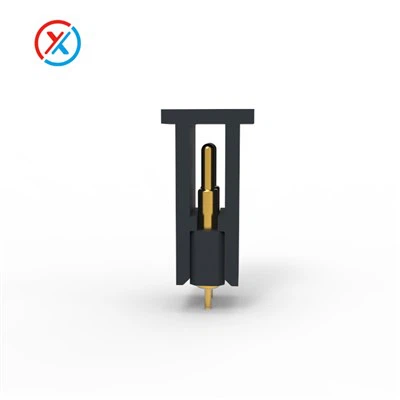
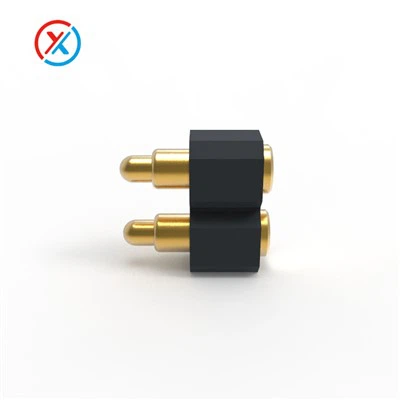
First things first, let's get a clear idea of what a Usb Pogo Pin Cable is. These cables are pretty nifty. They use pogo pins, which are spring-loaded pins that make a connection when they come into contact with a corresponding surface. It's like having a super-flexible and reliable electrical handshake.
The Usb Pogo Pin Cable offers a few key advantages. For starters, they're highly durable. The spring-loaded design of the pogo pins means they can withstand a lot of wear and tear from repeated plugging and unplugging. This is a big deal, especially in a gaming setup where you might be connecting and disconnecting your controllers or other accessories all the time.
Another great thing about these cables is their flexibility. They can be bent and twisted without breaking the connection, which is super useful if you have a crowded gaming area or if you like to move your gaming setup around. And let's not forget about the magnetic aspect. Many Usb Pogo Pin Cables come with a Magnetic Cable Connector, which makes it easy to attach and detach the cable. One gentle tug, and the cable pops off, preventing any damage to your console or accessories if it gets accidentally pulled.
Compatibility with Gaming Consoles
Now, the big question: Can you use a Usb Pogo Pin Cable with your gaming console? The answer is, in most cases, yes! Most modern gaming consoles, like the PlayStation 5, Xbox Series X/S, and Nintendo Switch, have USB ports that are compatible with standard USB cables. Since Usb Pogo Pin Cables are essentially a type of USB cable, they can usually be used without any issues.
For example, if you're using a gaming controller that connects via USB, you can swap out the regular cable for a Usb Pogo Pin Cable. This can give you a more reliable connection, which is crucial for that super-responsive gameplay. No more lag or disconnections ruining your gaming session!
However, there are a few things to keep in mind. Some older gaming consoles or specialized accessories might have specific requirements for the type of cable they use. For instance, some older consoles might only support a certain version of USB, like USB 2.0. Make sure to check the specifications of your console and accessories before using a Usb Pogo Pin Cable.
Specific Use Cases in Gaming
Let's look at some specific ways you can use a Usb Pogo Pin Cable in your gaming setup.
Controller Charging
One of the most common uses is for charging your gaming controllers. You can connect your controller to your console using a Usb Pogo Pin Cable and let it charge while you play. Or, if you have a controller dock, you can use the cable to connect the dock to your console or a power source. The durable and flexible nature of the cable means it can handle being plugged in and out every time you want to charge your controller.
External Storage
If you're a serious gamer, you probably need a lot of storage space for your games. Many gaming consoles support external hard drives or SSDs. You can use a Usb Pogo Pin Cable to connect your external storage device to your console. This allows you to easily transfer games and save data between your console and the external drive. Just make sure the cable can handle the data transfer speeds required for your specific storage device.
Audio and Video Accessories
Some gaming setups include audio and video accessories, like headsets or capture cards. You can use a Usb Pogo Pin Cable to connect these accessories to your console. The reliable connection ensures that you get high-quality audio and video without any interruptions.
Considerations When Choosing a Usb Pogo Pin Cable
If you're thinking about using a Usb Pogo Pin Cable in your gaming setup, there are a few things to consider.
Cable Diameter
The diameter of the cable can affect its flexibility and durability. A thicker cable might be more durable but less flexible, while a thinner cable might be more flexible but less sturdy. The Pogo Pin Cable Diameter 8.0mm is a popular choice as it offers a good balance between flexibility and durability.
Data Transfer Speed
For accessories that require high data transfer speeds, like external storage devices or capture cards, make sure the cable can support the necessary speed. Look for cables that are compatible with USB 3.0 or higher for the best performance.
Compatibility
As mentioned earlier, check the compatibility of the cable with your gaming console and accessories. Some cables might be specifically designed for certain models or versions of consoles.
Why Choose Our Usb Pogo Pin Cables
At our company, we take pride in offering high-quality Usb Pogo Pin Cables. Our cables are made from the best materials, ensuring long-lasting performance. We offer a wide range of cable diameters and data transfer speeds to meet your specific needs.


We also understand the importance of customer satisfaction. That's why we provide excellent customer support, and we're always happy to answer any questions you might have about our products. Whether you're a casual gamer or a professional esports player, our Usb Pogo Pin Cables can enhance your gaming experience.
Let's Chat!
If you're interested in using Usb Pogo Pin Cables in your gaming setup, or if you have any questions about our products, don't hesitate to reach out. We'd love to have a chat and help you find the perfect cable for your needs. Whether you're looking to upgrade your controller charging setup, add external storage, or connect audio and video accessories, we've got you covered.
Let's take your gaming to the next level with our reliable and high-quality Usb Pogo Pin Cables!
References
- Smith, J. (2022). The Ultimate Guide to Gaming Cables. Gaming Tech Magazine.
- Johnson, M. (2021). Compatibility of USB Cables with Gaming Consoles. Tech Review Journal.